Introducing NotiZen Widget
NotiZen Widget is an Android home screen widget for Notion that helps bring tasks and custom views to the home screen through Google Play.
Posted by
 Gustav Caves
Related reading
Get Notion reminders on your Android home screen
Learn how NotiZen Widget turns Notion date properties like Reminder or Due Date into local Android notifications from your Custom Views.
Plan your Notion agenda with AI using NotiZen JSON export
Learn how NotiZen Widget lets Android users export selected Notion Custom Views and cached calendar events as JSON for ChatGPT, MCP workflows, and weekly planning.
Fixing Notion Native Icons in an Android Widget
A behind-the-scenes look at how NotiZen Widget learned to render Notion native icons, remote icons, SVGs, and color mappings correctly on the Android home screen.
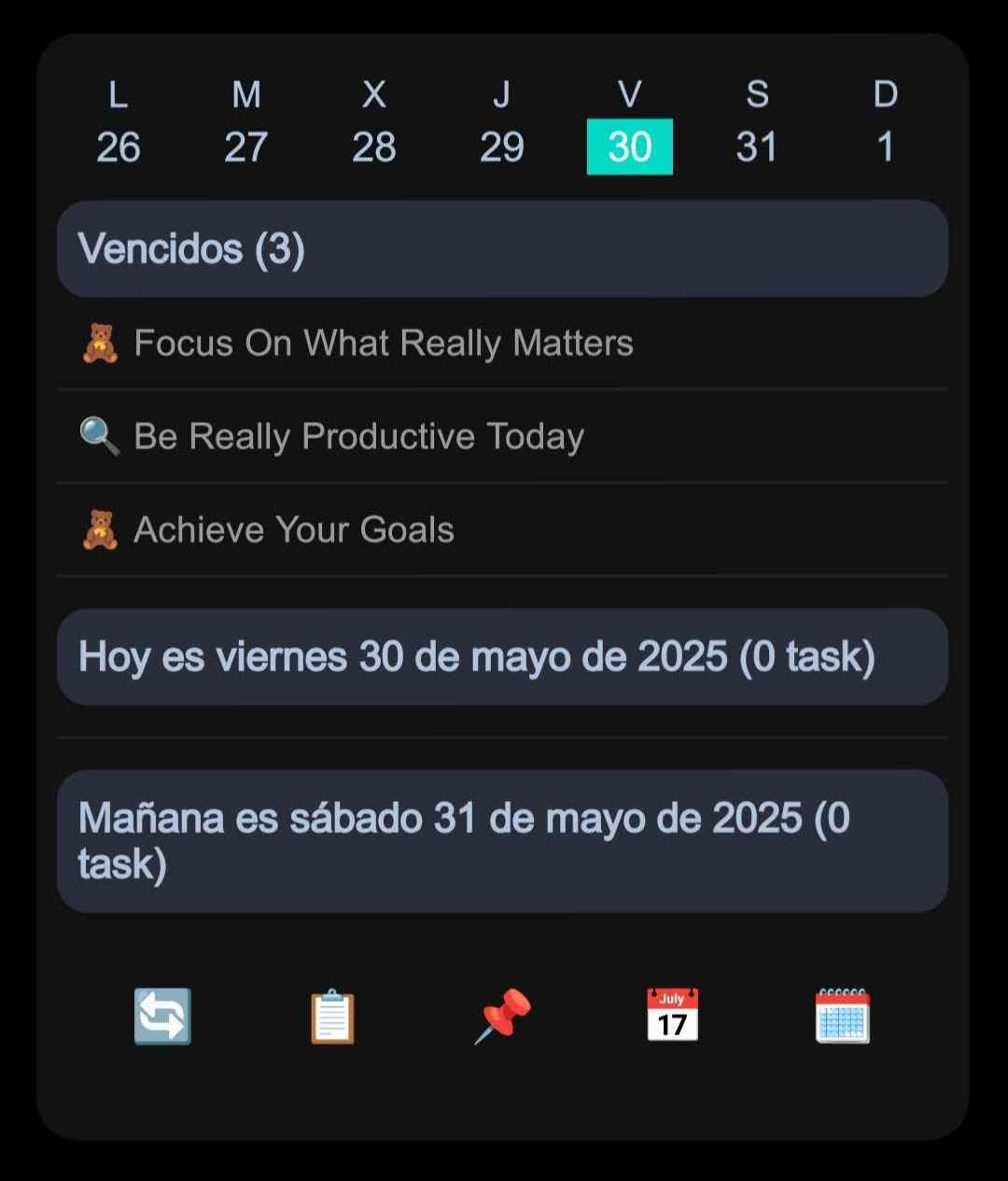
Introduction to NotiZen Widget
NotiZen Widget is an Android home screen widget for Notion. It helps bring selected Notion data and views to your home screen so you can keep your daily workflow visible without opening Notion every time. The original daily views are still part of the experience, but the product is moving toward more flexible widget setups and custom views.
Meet NotiZen Widget
The goal is simple: show what matters from Notion in a format that feels natural on the Android home screen.
Why you’ll love it
- Your Notion views on the home screen — keep important tasks and selected views visible without opening Notion first.
- Flexible daily workflow — use the widget for planning, reviewing, and checking what needs attention during the day.
- Quick access when needed — glance at the widget first, then open Notion when you want more context.
- More than one way to see what matters — daily lists remain useful, but they are only one part of a broader direction toward flexible widget views.
- Built around real workflows — the product started from personal use and is evolving toward setups that work for different kinds of Notion users.
Designed for busy humans
- Home-screen first — the main idea is to reduce how often you need to open full apps just to check the next task or view.
- Flexible setup direction — some views are shaped by default or legacy assumptions today, while custom views are intended to support more varied database setups over time.
- Focused and practical — it is meant to help you stay oriented in your day, not replace the depth of Notion itself.
How to get started
- Install NotiZen Widget through Google Play.
- Receive app updates from Google Play.
- Connect Notion and choose the database or view you want to surface.
- Adjust the setup until the widget matches your daily workflow.
NotiZen Widget is available through Google Play on Android 6+. Google Calendar support is optional.
Following the project
NotiZen Widget began with a few daily views that worked well for me. The public direction now is broader: flexible widget views, customizable Notion workflows, and a clearer home-screen experience for people who use Notion every day.