Closed Beta

Your Notion workflows, right on your Android home screen

NotiZen Widget helps you turn different Notion databases into custom Android home screen views for personal tasks, work projects, shopping lists, and more. Closed beta. Android 6+. Gmail required for invite. Optional Google Calendar.

One widget system, many Notion workflows

NotiZen Widget homescreen preview

Opening Notion on your phone kills focus before you even start

Waiting for Notion to load, hunting for the right page, then deciding what to tackle next steals precious minutes every session. That dead time turns “do it now” into “maybe tomorrow” and crushes your momentum.

Wait for Notion to load

🔍

Browse pages & decide

😩

Lose momentum and postpone

The right Notion view, already on your home screen

Without NotiZen Widget

  • Open Notion on mobile and wait for it to load
  • Navigate to the right database for the current context
  • Find the right view before you can do anything useful
  • Lose time and focus every time you switch workflows
  • Bounce between apps just to check or update small things
  • Repeat the same path again for work, personal, and everything else

With NotiZen Widget

  • The right custom view is already on the home screen
  • Fast actions are available before you open the full app
  • Different widgets can serve different contexts and databases
  • You stay oriented without forcing every workflow into one template
  • Notion stays the source of truth while the widget removes friction
  • Less app hopping, less mental overhead, less context loss

Closed Beta

Get early access on Android 6+

We're currently in closed beta with limited spots. Join the waitlist to be considered for access. A Gmail account is required for the invite flow. Google Calendar support is optional.

Gmail only. Android 6+ required.

Custom views

Custom views across different parts of your life

Start with one database, then add more home screen views for the parts of life that need their own space. The system stays consistent even when the workflows do not.

Personal dashboard

Personal tasks, your way

Personal

Keep your own task system on the home screen with the filters, priorities, and fields that match how you actually plan your day.

  • Create a focused view for routines, inbox items, or next actions
  • See the exact properties that matter to your personal workflow
  • Open Notion only when you need deeper context
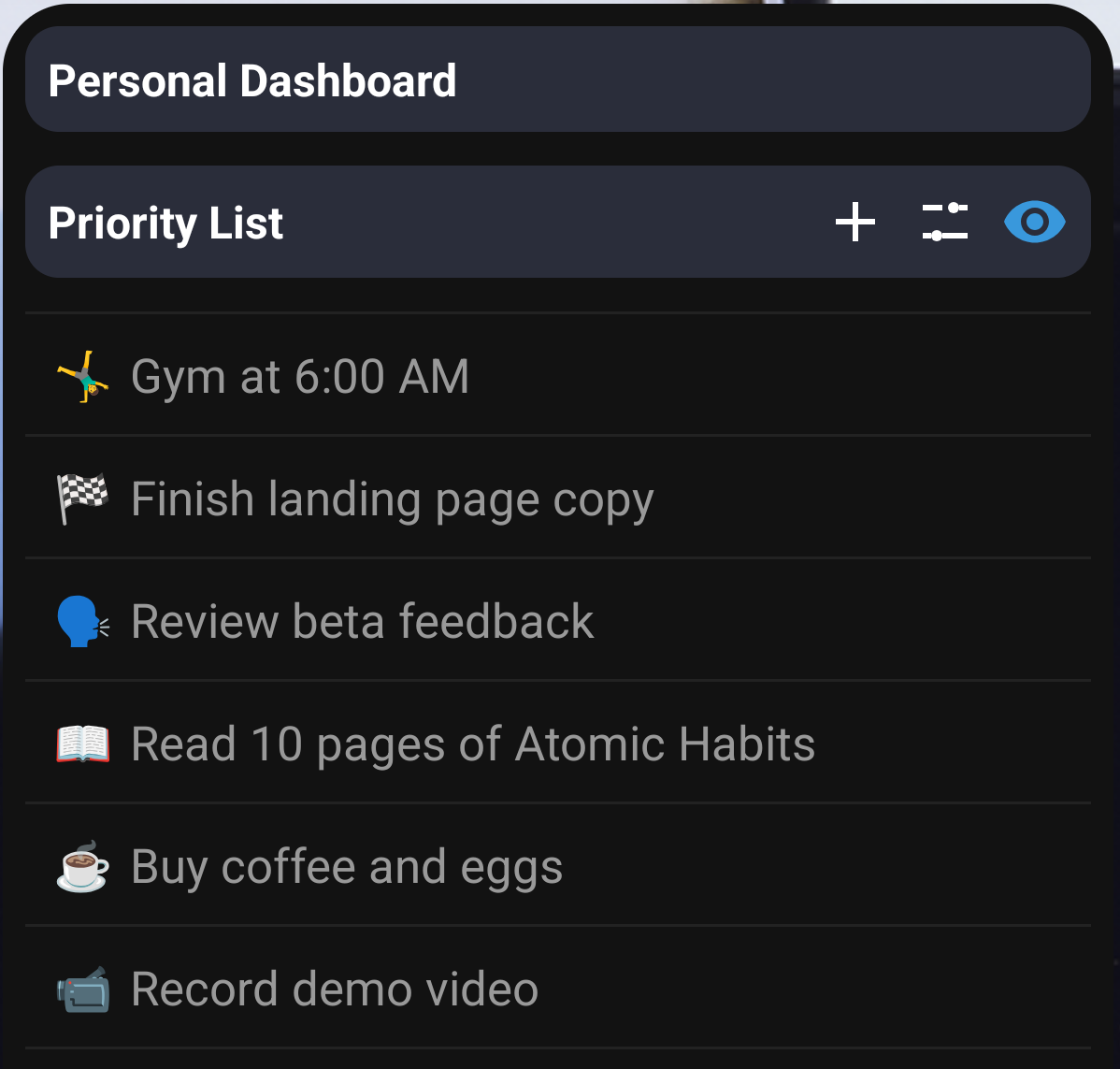
Personal dashboard custom widget placeholder preview

Work project view

Separate work from personal life

Work

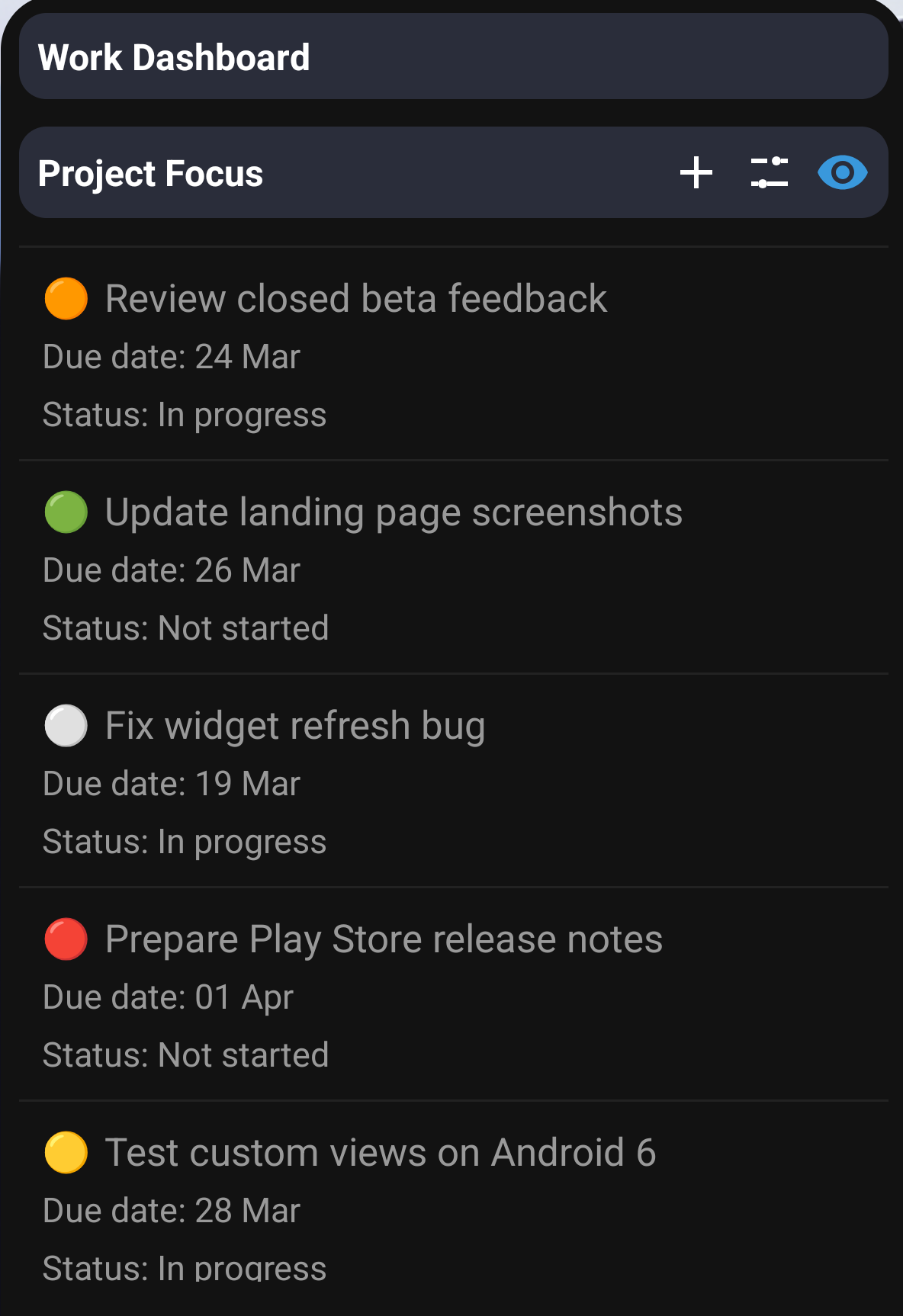
Pin a dedicated project widget for work so the right database and the right tasks are already visible when you unlock your phone.

  • Keep client work, launches, or sprint tasks in their own widget
  • Avoid mixing personal and work priorities in one rigid list
  • Switch context faster with less app hopping
Work project view custom widget placeholder preview

Shopping list

Not just tasks

Lifestyle

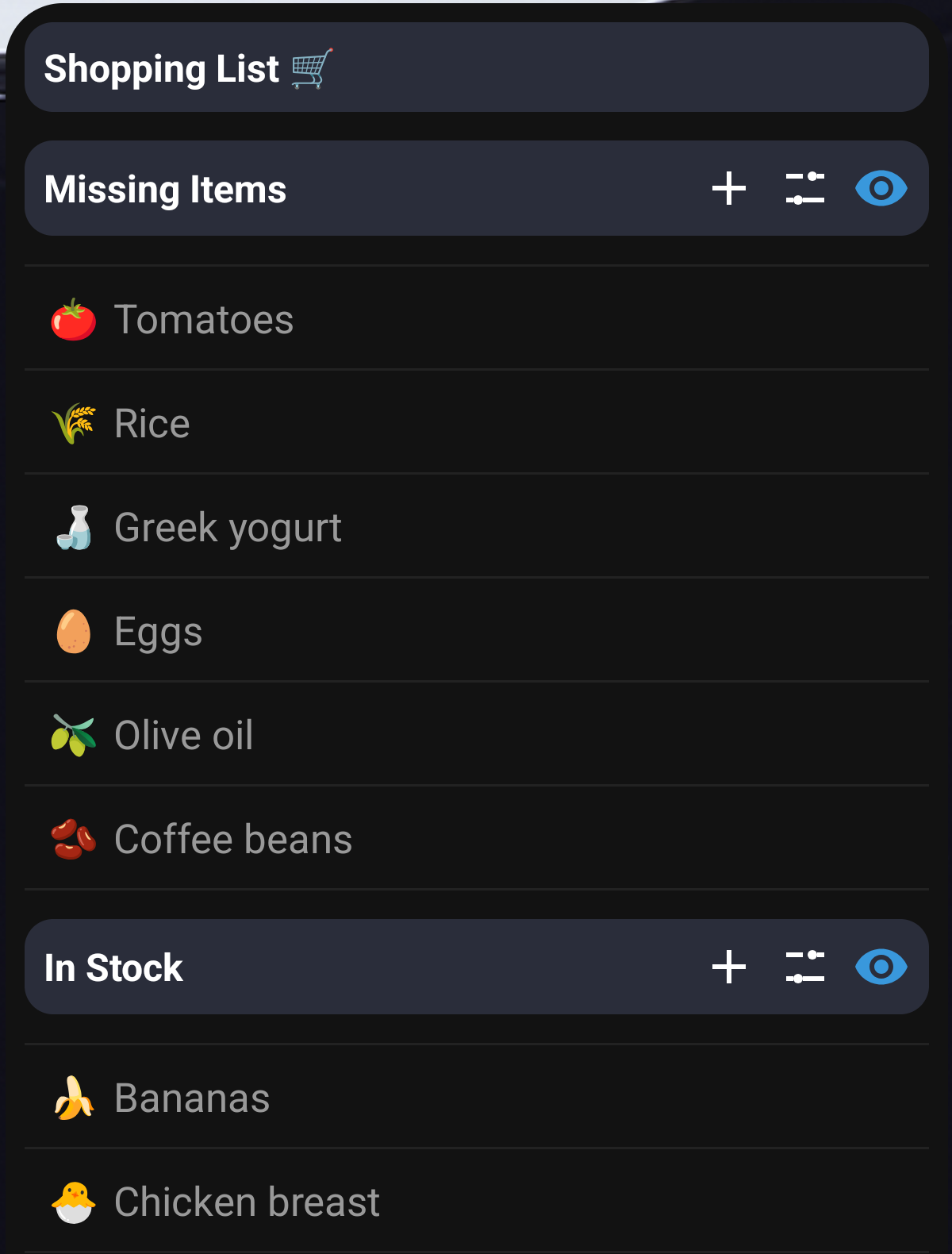
Use the same widget system for errands and everyday lists so quick-check information stays accessible without rebuilding your process.

  • Turn a shopping database into a clean home screen checklist
  • Keep grocery runs, replenishment lists, or household items in view
  • Reuse the same Notion setup across more than one use case
Shopping list custom widget placeholder preview

View system

Build views around your database, not around a fixed template

A personal dashboard, a project tracker, and a shopping list should not all look the same. NotiZen Widget lets each home screen view reflect the properties, priorities, and context of the database behind it.

  • Different property sets stay useful at a glance instead of being flattened into one rigid layout
  • Different priorities can live in different widgets for different moments of the day
  • Different databases can sit on different home screens for faster context switching
  • One widget system, many workflows

Custom view setup

Designed for different contexts

Flexible
PropertiesPrioritiesContextsDatabases
Custom widget view placeholder preview for different Notion databases

More workflows

One widget system, many Notion workflows

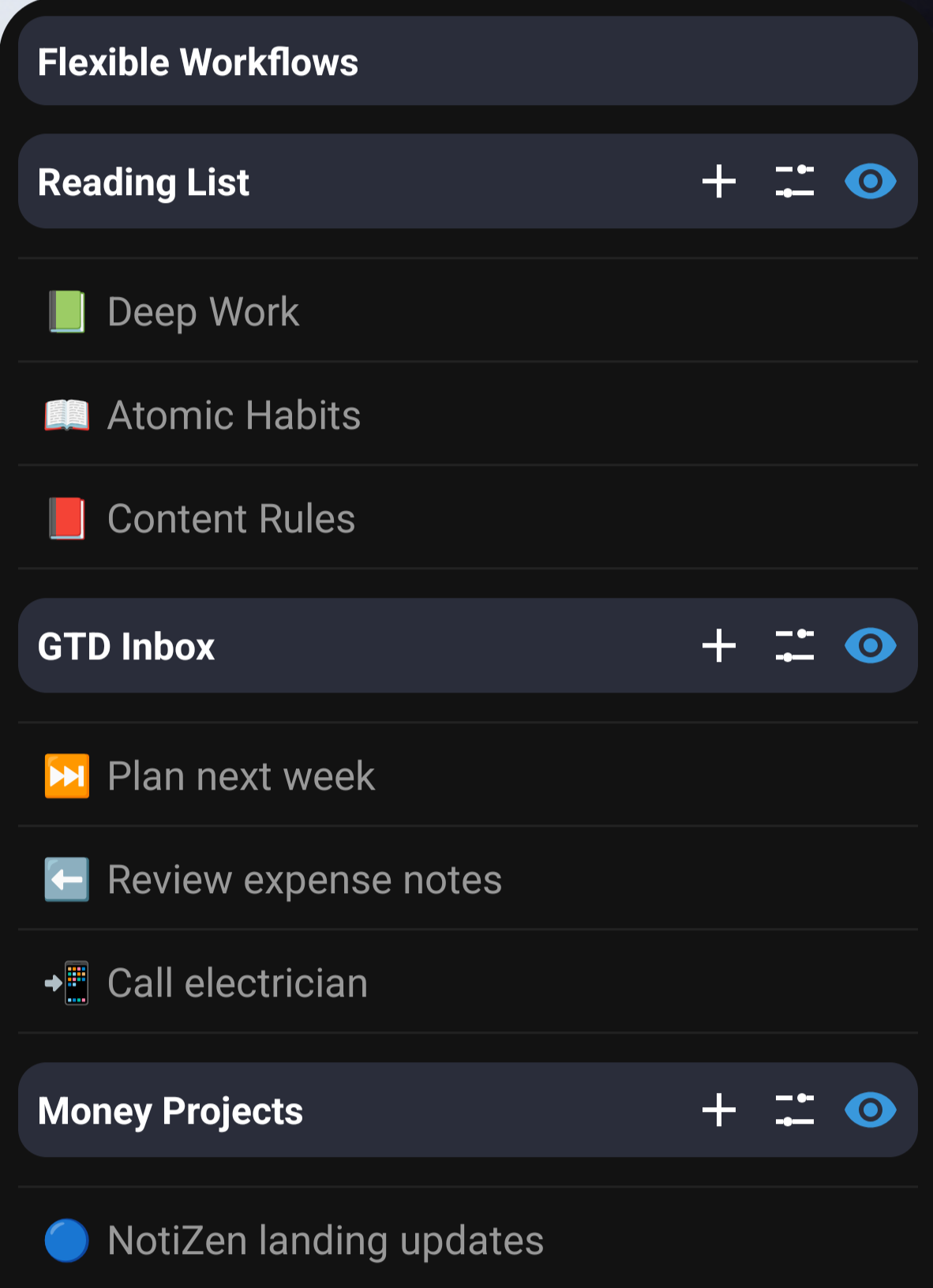
The same setup can stretch well beyond a single daily task list. Add widgets for books, GTD, money-making projects, or any workflow that works better when the right view is already waiting on your home screen.

Flexible workflows, not one rigid setup

  • Start with a personal task dashboard and grow into multiple widget views over time
  • Keep each workflow tied to the database and filters that make sense for it
  • Use different widgets for reading, shopping, projects, or planning without changing tools
  • Reuse the same fast actions while keeping each context separate

Flexible workflows preview

Placeholder
Flexible workflow widget placeholder preview

Books and reading queues

Reading

Keep a lightweight widget for books to read, notes to revisit, or learning pipelines you want visible every day.

GTD and next actions

GTD

Create a home screen view for next actions, waiting-fors, or inbox cleanup without forcing it into a standard task template.

Money-making projects

Projects

Track revenue-focused ideas, offers, or project pipelines in a widget built around the fields that matter to that workflow.

Demo

See a real custom widget flow on Android

This walkthrough shows how custom widget views, fast actions, and home screen access work together so you only open Notion when you need deeper context.

  • See a real widget flow instead of a static mockup
  • Watch custom widget views surface the right database context on the home screen
  • Use fast actions first and jump into Notion only for deeper work

FAQ

Frequently Asked Questions

  • NotiZen Widget is an Android home screen widget for Notion. It brings your tasks and custom views to the home screen so you can see what needs action without opening Notion first.

  • TickTick and Todoist are standalone task managers. NotiZen Widget is a Notion companion: it doesn’t force you to migrate data or learn another system. You keep using Notion databases, views, and templates, but you get the speed and friction-free capture those apps offer, right on your home screen.

  • Nope. NotiZen Widget works with both the Free and Plus tiers of Notion. If you already have a paid Notion plan, you’ll still benefit from real-time sync and larger file uploads, but it’s not required.

  • Android 6+ devices are supported, including many tablets. iOS and Mac widgets are not part of the current closed beta.

  • We're inviting users in batches while spots remain available. Join the waitlist with a Gmail address to be considered for access and we'll email you if you're selected.

  • You can view any tasks that were synced before going offline. Marking tasks as done or adding new ones queues the action and automatically syncs the moment you regain a connection.

  • No. Google Calendar support is optional. The core experience is centered on your Notion workspace and Android home screen widgets.

  • Yes. A Gmail account is currently required for the invite and access flow in this closed beta.

  • We never store your Notion content on our servers. Authentication flows through Notion’s official OAuth; the widget fetches data directly and caches it only on your device. Connections to the site are served over modern TLS, including TLS 1.3 when supported by the client.

Join the community

Follow product updates, quick tips, and contact support.